Community Training Classes & Labs > DNS Services Index
6.1. Zone Runner
Customers will subscribe to their RPZ vendor of choice.
Use Zonerunner to create a custom RPZ zone for our lab.
Navigate to DNS ›› Zones : ZoneRunner : Zone List
https://router01.branch01.example.com/tmui/Control/jspmap/tmui/globallb/zfd/zone/create.jsp
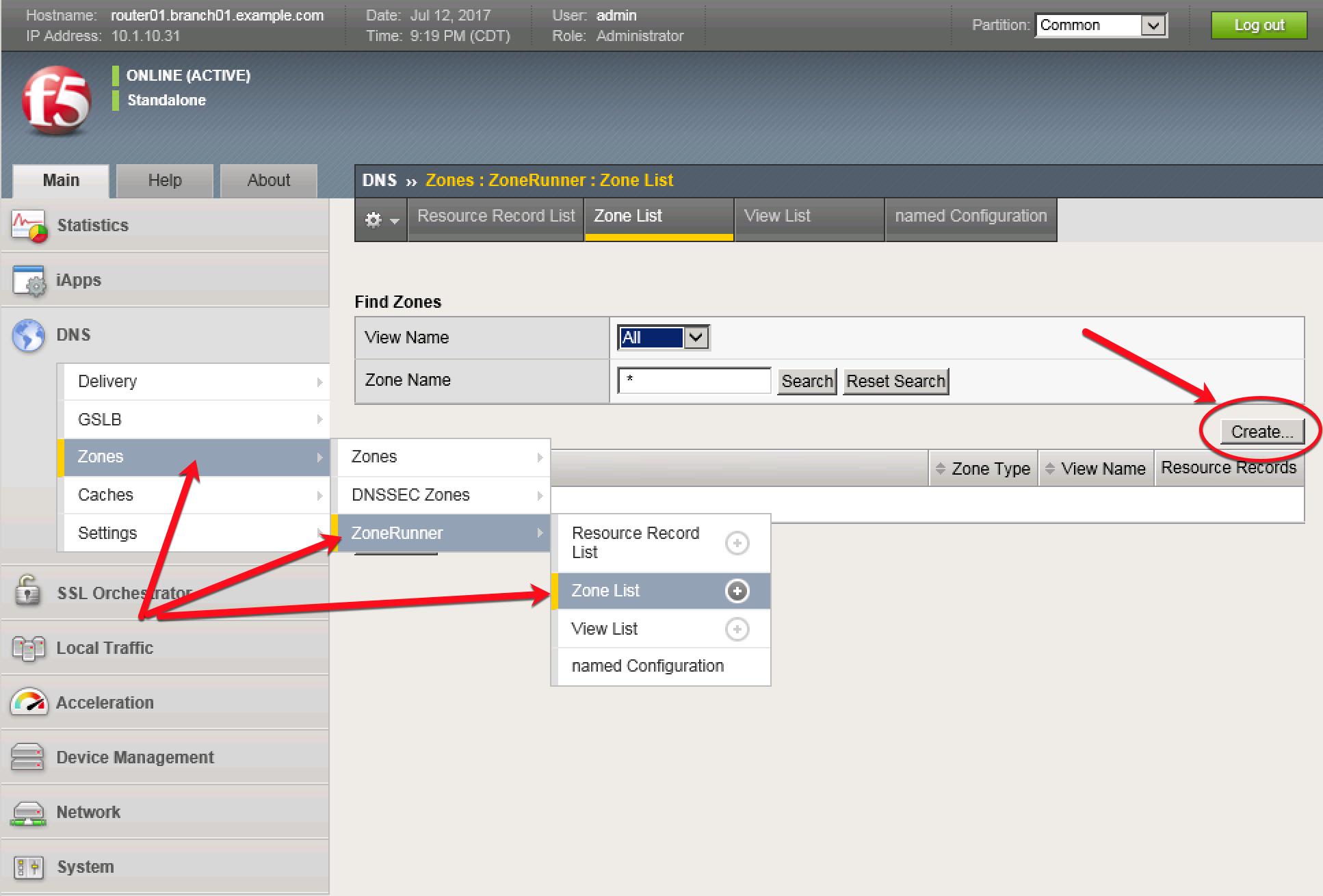
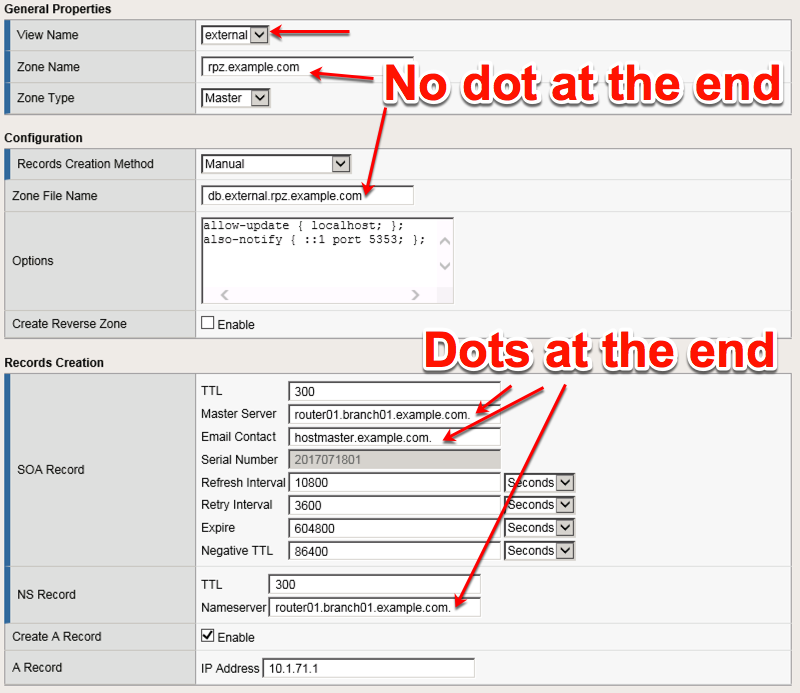
Create a zone according to the following table:
| Setting | Value |
|---|---|
| View Name | external |
| Zone Name | rpz.example.com |
| Zone Type | Master |
| Zone File Name | db.external.rpz.example.com |
| Options | also-notify { ::1 port 5353; }; |
| TTL | 300 |
| Master Server | router01.branch01.example.com. |
| Email Contact | hostmaster.example.com. |
| NS Record: TTL | 300 |
| NS Record: Nameserver | router01.branch01.example.com. |
| Create A Record | Checked - Enabled |
| A Record: IP Address | 10.1.71.1 |
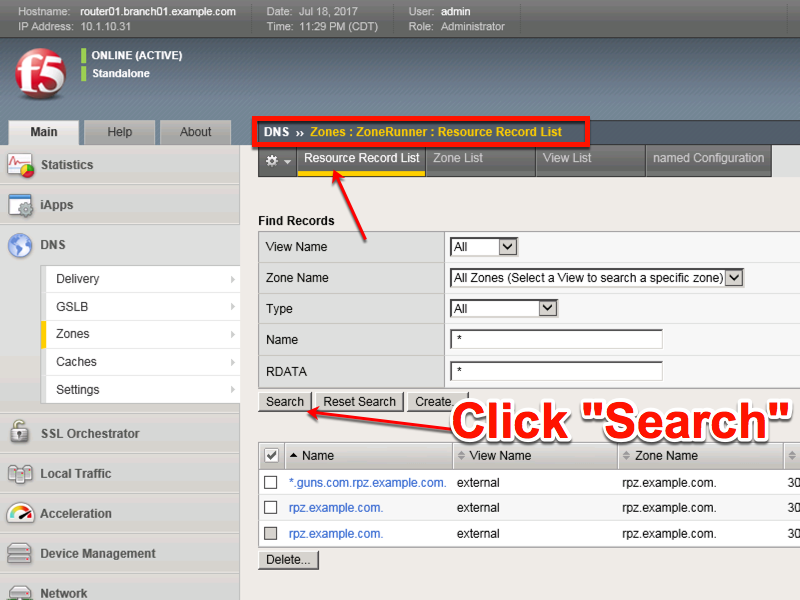
Navigate to: DNS ›› Zones : ZoneRunner : Resource Record List
https://router01.branch01.example.com/tmui/Control/jspmap/tmui/globallb/zfd/record/create.jsp
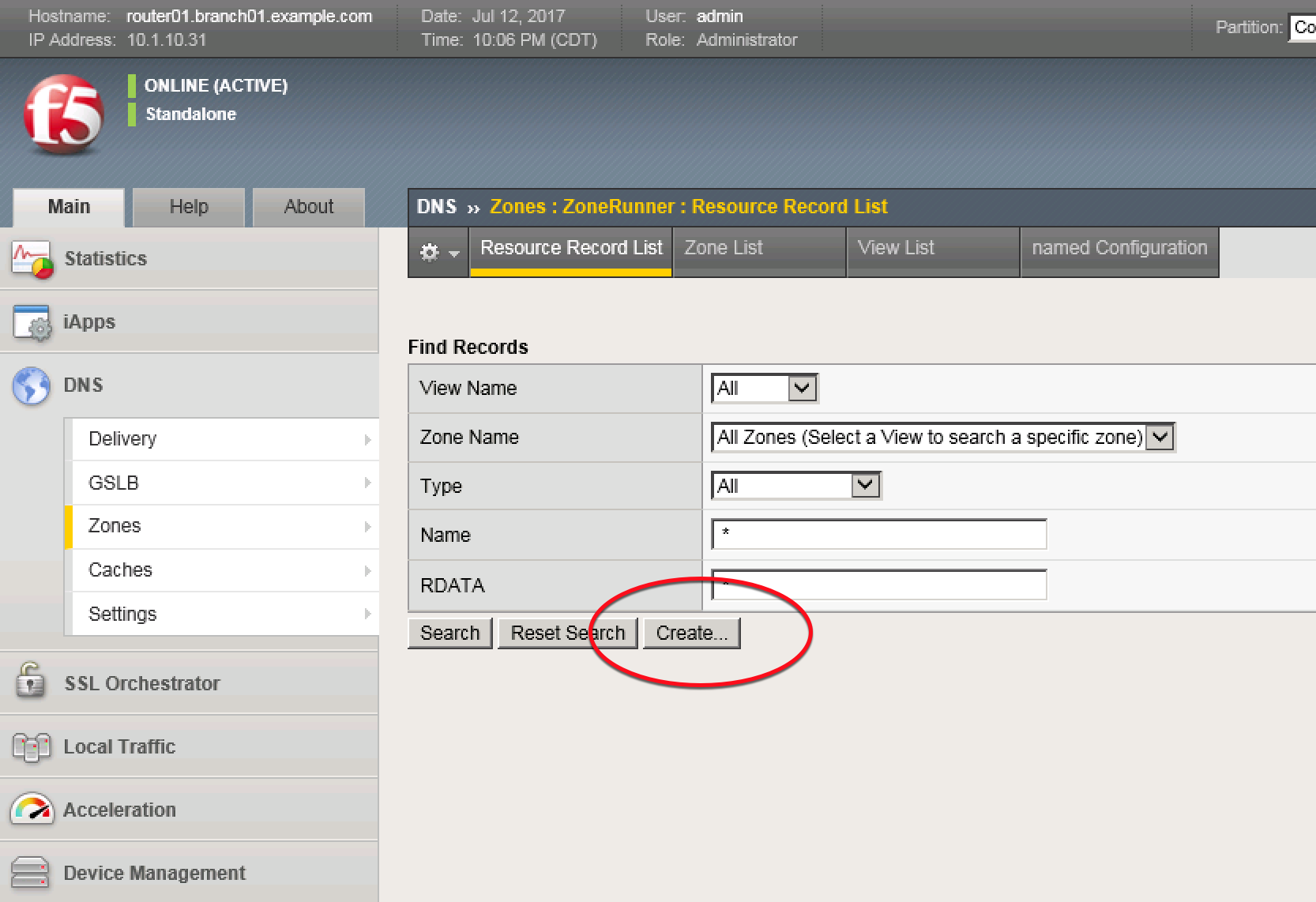
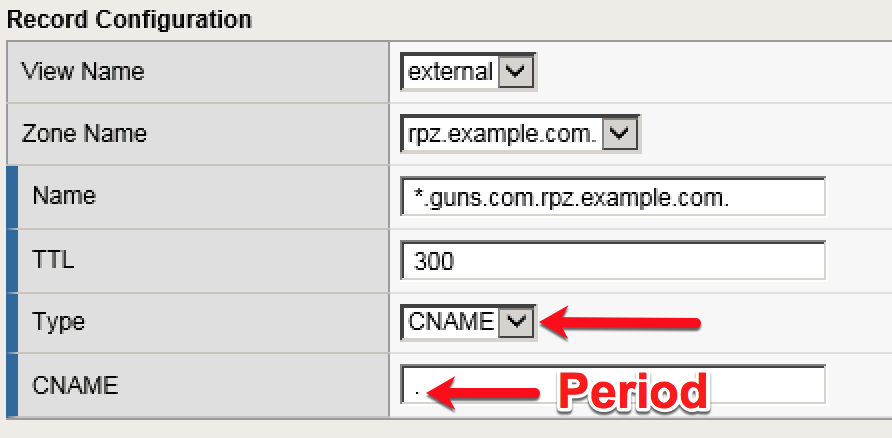
Create a resource record according to the following table:
| Setting | Value |
|---|---|
| View Name | external |
| Zone Name | rpz.example.com |
| Name | *.guns.com.rpz.example.com. |
| TTL | 300 |
| Type | CNAME |
| CNAME | . |