Community Training Classes & Labs > DNS Services Index
2.1. Logging
Configure DNS query and response logging. Create a “Log Publisher”, and a “Logging Profile”
Note
It is required to complete the following task on both gtm1.site1 and gtm1.site2
Navigate to: System ›› Logs : Configuration : Log Publishers
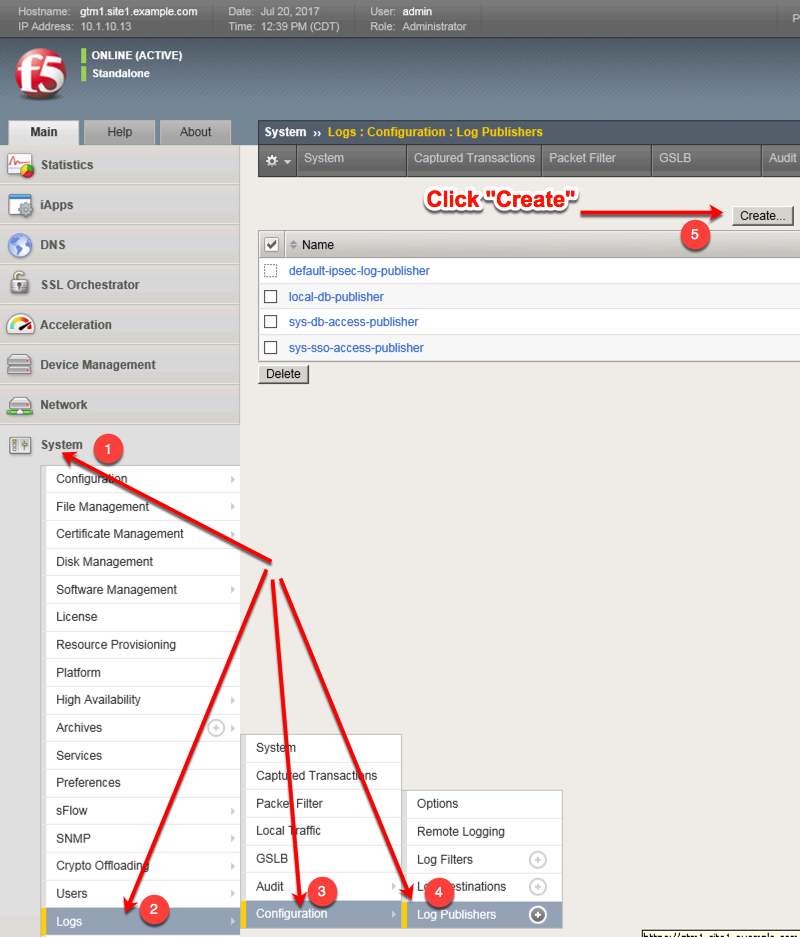
Create a local syslog publisher according to the table below:
Setting Value Name local-syslog-publisher Destinations local-syslog 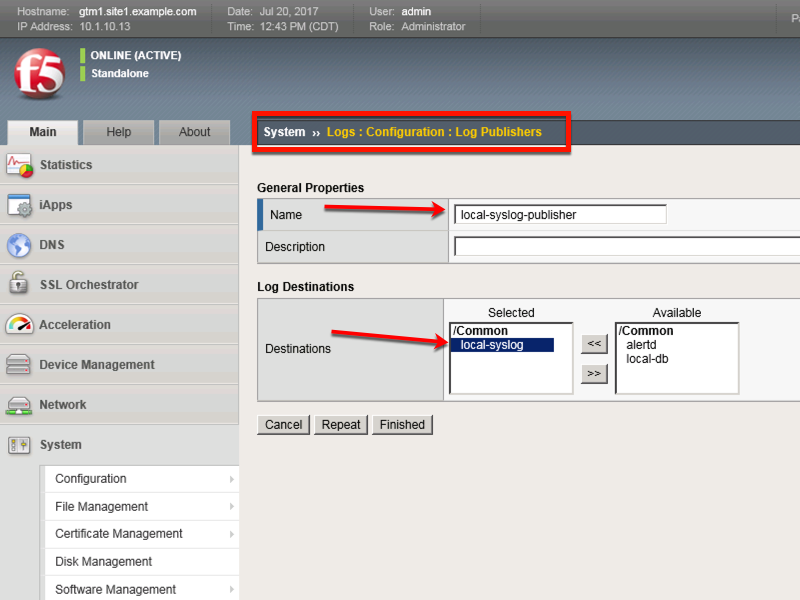
https://gtm1.site1.example.com/tmui/Control/jspmap/tmui/system/log/create_publisher.jsp
https://gtm1.site2.example.com/tmui/Control/jspmap/tmui/system/log/create_publisher.jsp
On both gtm1.site1 and gtm1.site run the following command:
TMSH
tmsh create sys log-config publisher local-syslog-publisher { destinations { local-syslog { } } }
Navigate to: DNS > Delivery > Profiles > Other > DNS Logging: Create
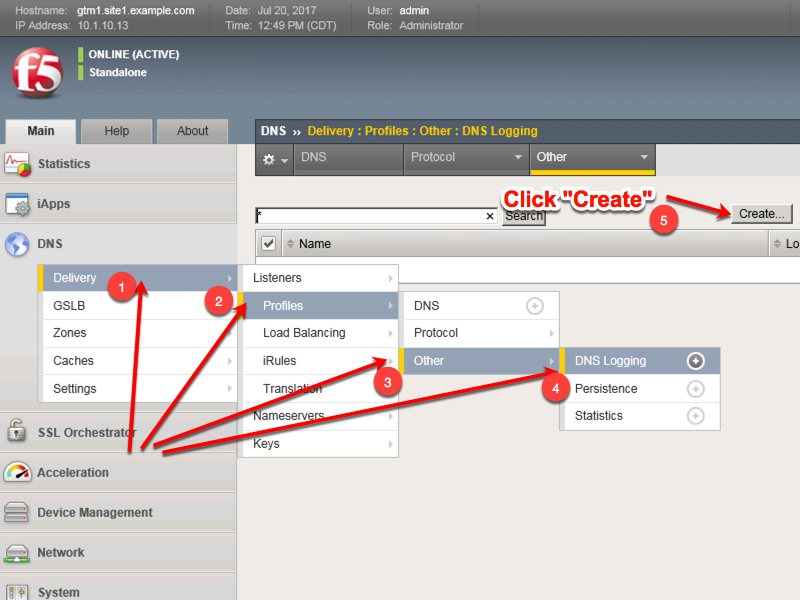
Create a new DNS logging profile as shown in the table below.
Setting Value Name example_dns_logging_profile Log Publisher local-syslog-publisher Log Responses enabled Include Query ID enabled 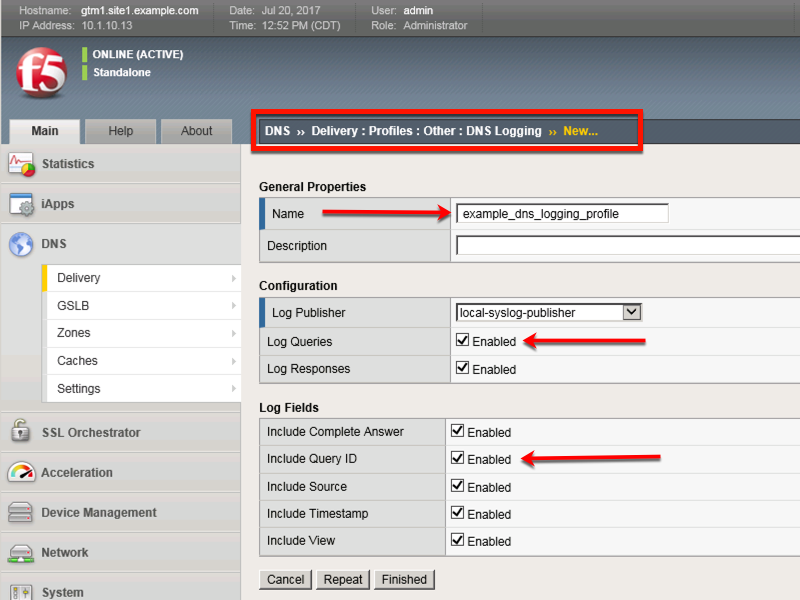
https://gtm1.site1.example.com/tmui/Control/jspmap/tmui/dns/profile/dns_log/create.jsp
https://gtm1.site2.example.com/tmui/Control/jspmap/tmui/dns/profile/dns_log/create.jsp
TMSH command for both gtm1.site1 and gtm1.site2:
TMSH
tmsh create ltm profile dns-logging example_dns_logging_profile enable-response-logging yes include-query-id yes log-publisher local-syslog-publisher